PCjs Machines
Home of the original IBM PC emulator for browsers.
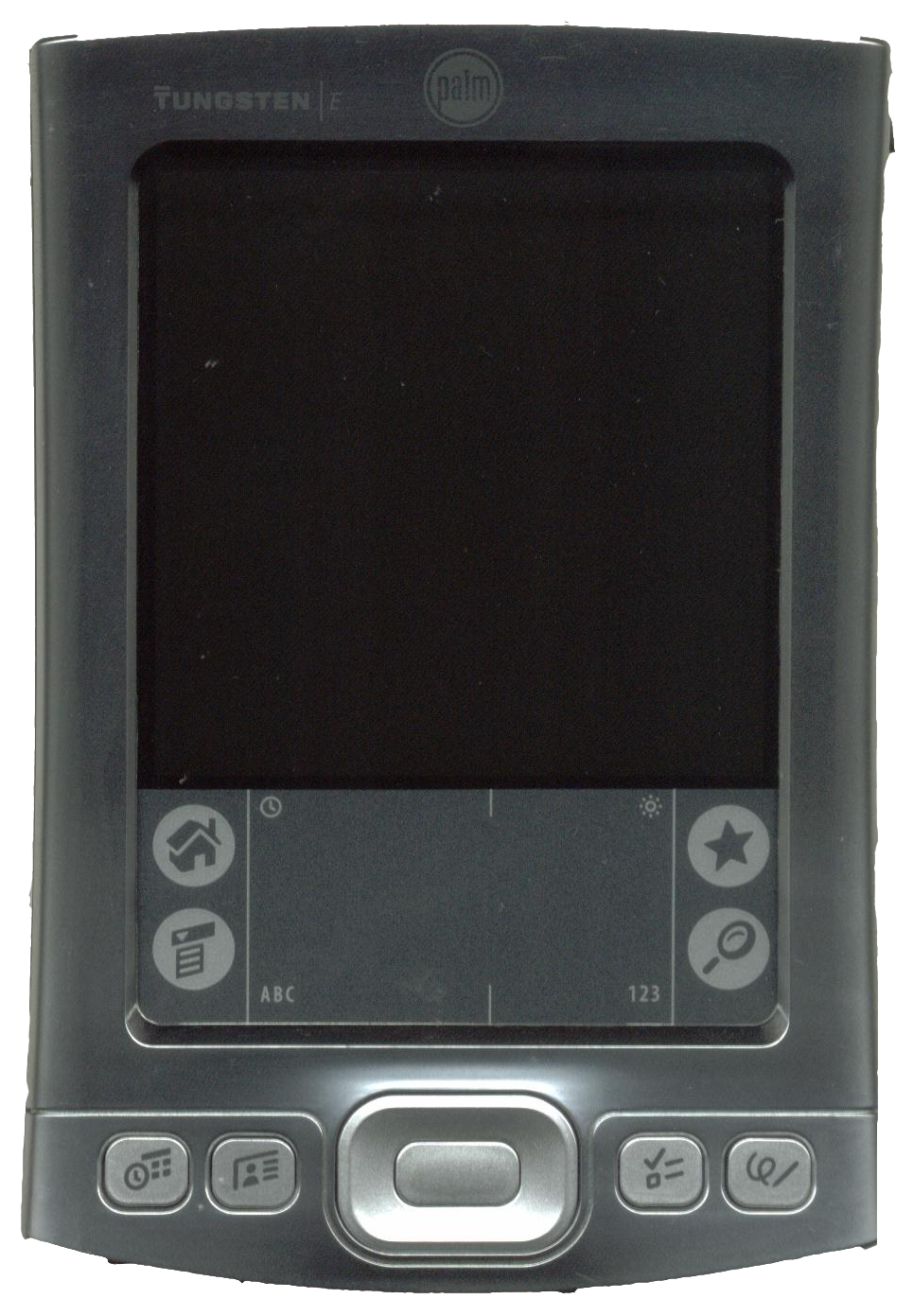
Palm Tungsten E (2003)
This PCjs machine is an early work-in-progress emulation of the Palm Tungsten E, running the PalmOS 5.2.1 ROM on a 320x320 color display. Unlike the Palm Pilot, Palm III, and Palm IIIc, which all used Motorola 68K (“DragonBall”) processors, the Tungsten E was one of the first Palm devices to use an ARM processor, so it uses a completely different set of PCjs modules:
- CPUARM: an ARMv4T (ARM and Thumb) CPU with an MMU, matching the TI ARM925T
- OMAP: the rest of the TI OMAP310 “system on a chip”, including its interrupt handlers, timers, LCD controller, DMA controller, real-time clock, GPIO, and keyboard and uWire interfaces
- TSC2102: the touch screen controller, which also measures the battery and plays audio
- Tungsten: the buttons and other board-level details
The first time the Tungsten E boots, it will walk you through its Setup screens, including digitizer alignment.
Demos
Click any of the following applications to install it on the Tungsten E and launch it (make sure the Tungsten E has completed Setup first). Once installed, an application remains on the device (until it’s reset), and it can be launched again from the Home screen.
These are the same color applications featured on the Palm IIIc. Use Aargon Registration Code CQHVPVDP to enable all of Pocket Aargon’s features.
You can also install applications using the Debugger’s load command (eg, load /machines/palm/iiic/demos/Aargon.prc). Any of the Palm Pilot’s demos and Palm III’s demos can be installed as well (eg, load /machines/palm/iii/demos/Railroad.prc).
An application is installed the same way it is on the other Palm machines: by calling the same PalmOS APIs that HotSync would. PalmOS 5 runs applications written for the 68K using an emulator of its own (PACE), so those calls are made on the application’s behalf the next time it asks PalmOS for an event, which may take a second or so.
Palm Tungsten E Emulation Notes
The Graffiti area below the screen, the four application buttons, and the 5-way navigator all work with the mouse (or your finger). The power button is on the top edge of a real Tungsten E, so it isn’t visible in the image, but clicking the top right corner of the case will press it. The buttons can also be pressed with the keyboard: 1 through 4 for the application buttons, 5 and the arrow keys for the navigator, and 0 for power.
Things that are not emulated yet include audio output, the SD card slot, USB (HotSync), and IR. The state of the machine is also not saved yet, so the Tungsten E starts over every time the page is loaded.
The machine’s clock is set to 32 million “cycles” (ARM instructions) per second, which is less than the real device was capable of, but most browsers should be able to keep up with that in real time.
Testing
The ARM CPU was tested by comparing it to QEMU’s emulation of the same processor (see testarm.js), and the entire machine can be booted from the command-line, without a browser, using bootte.js.